Admin Panel v2.1.0 – New Customization Features
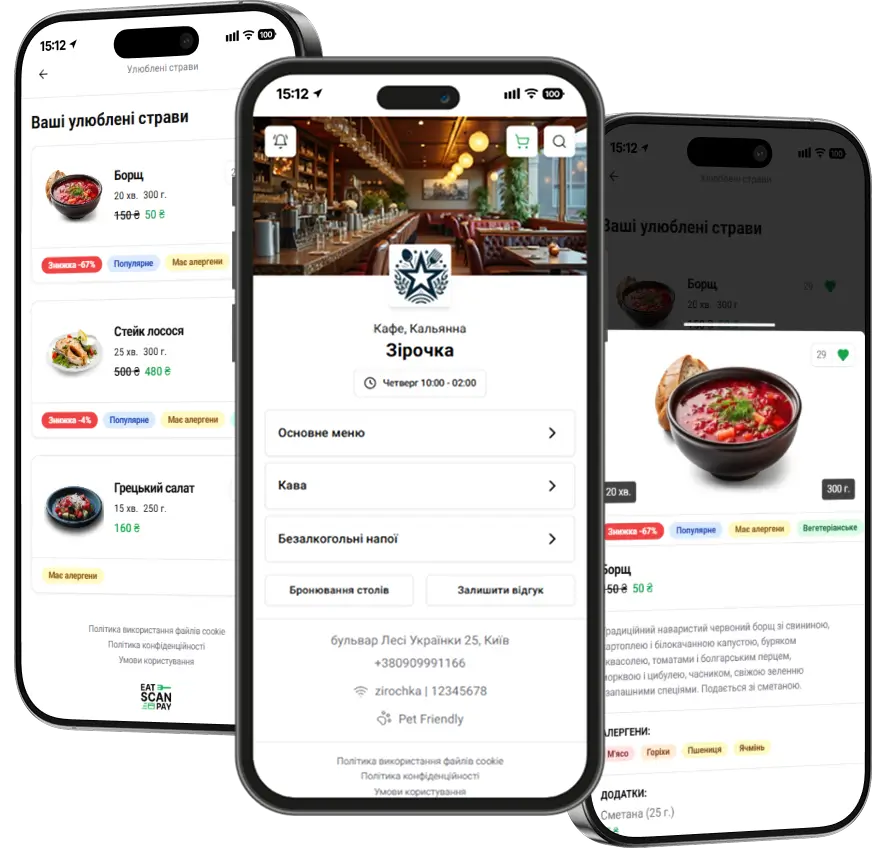
This update expands the personalization capabilities of the QR menu, allowing establishments to customize its appearance to match their brand and style.
Main updates:
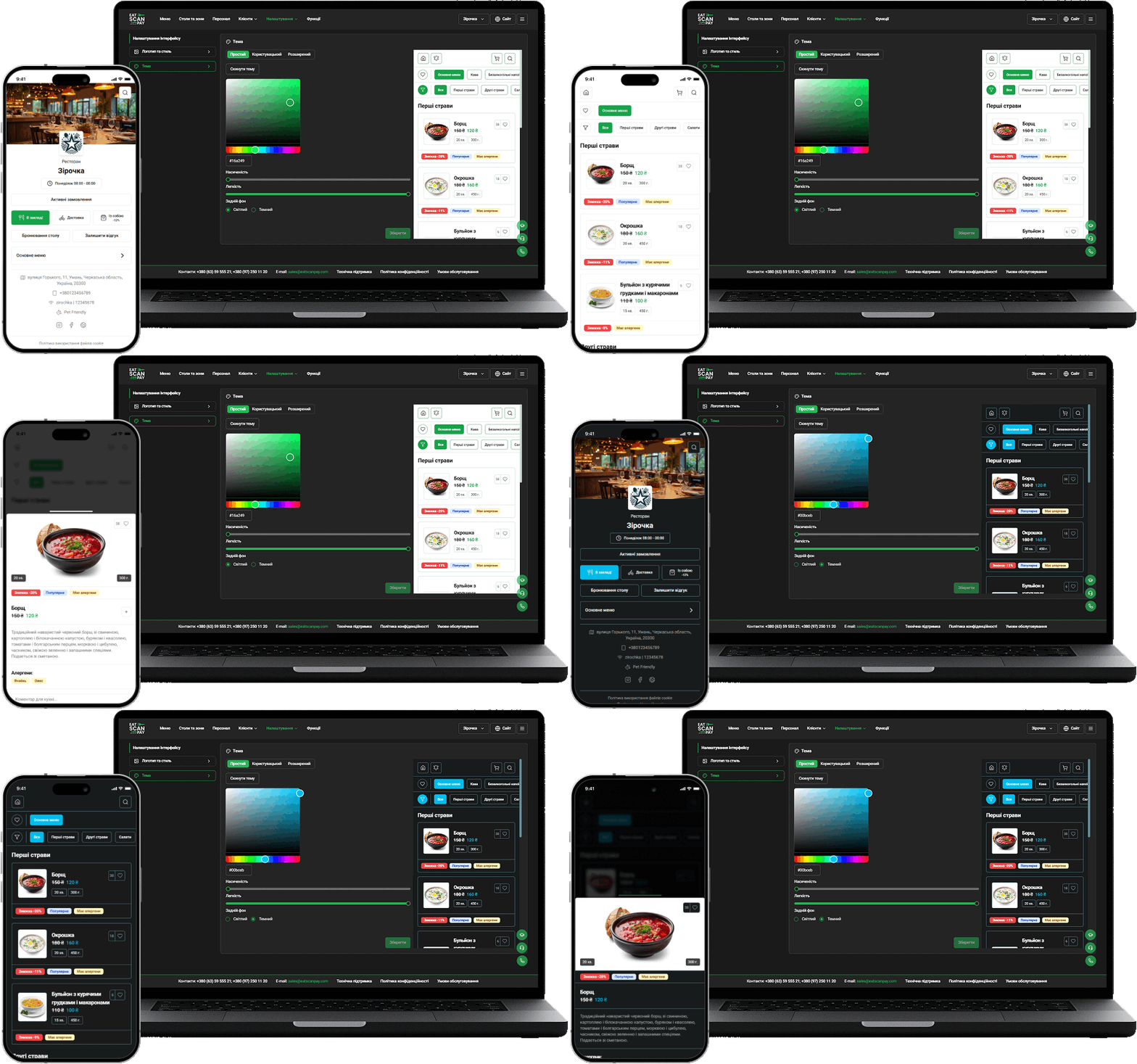
- Theme and Color Customization
- Now you can change the QR menu color scheme, enabling it to align with the establishment’s identity.
- Flexible color customization helps make the digital menu even more attractive and user-friendly for guests.
- Choosing Dish Card Sizes in the QR Menu
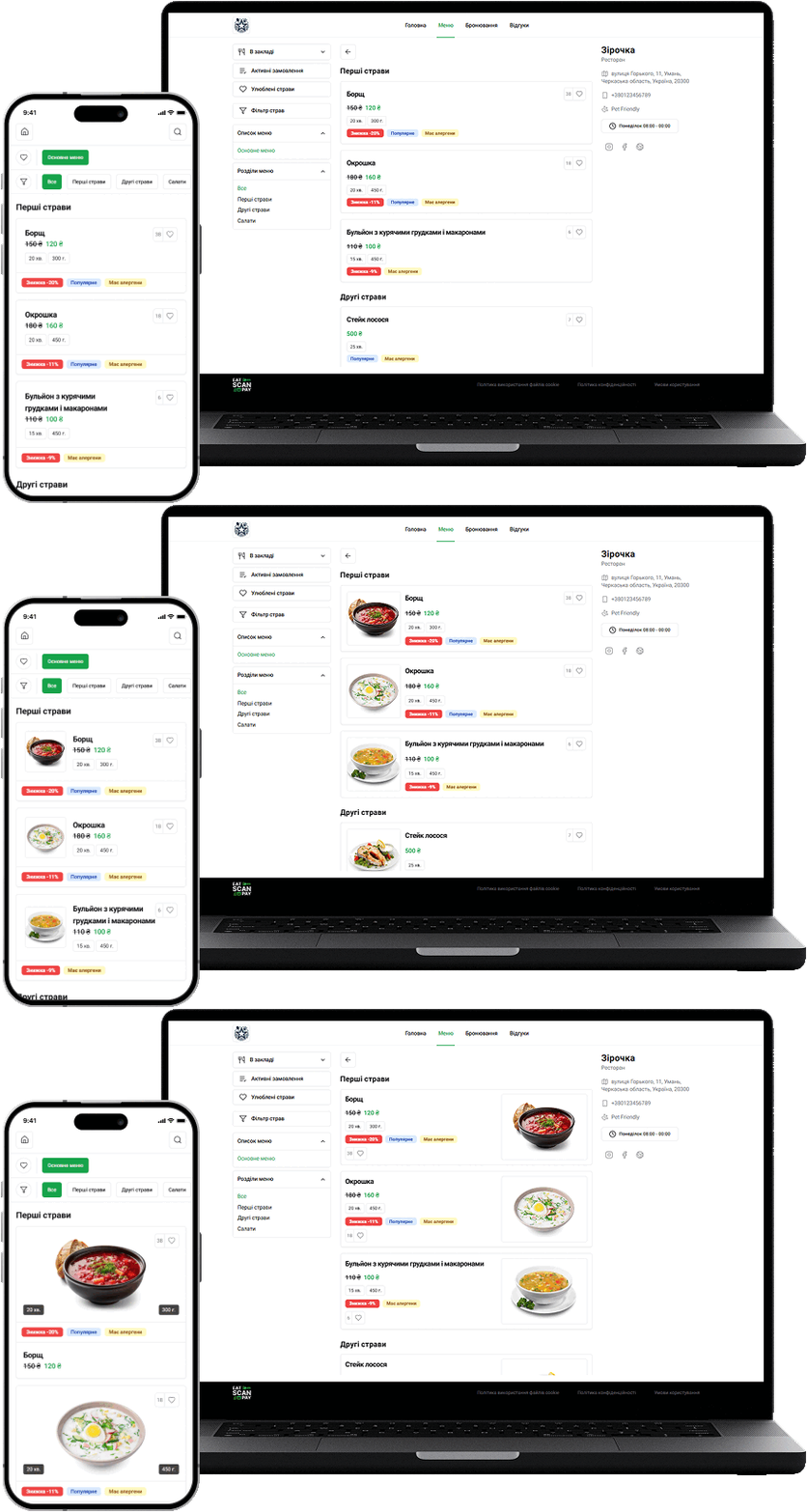
A new feature allows selecting the display style of dishes in the online menu:
- Large cards – with big photos to emphasize the visual presentation of dishes.
- Medium cards – with compact photos for a balance between informativeness and space efficiency.
- Small cards – without photos, for the fastest navigation and easiest browsing.
This update makes the QR menu even more flexible and convenient for both establishments and guests.