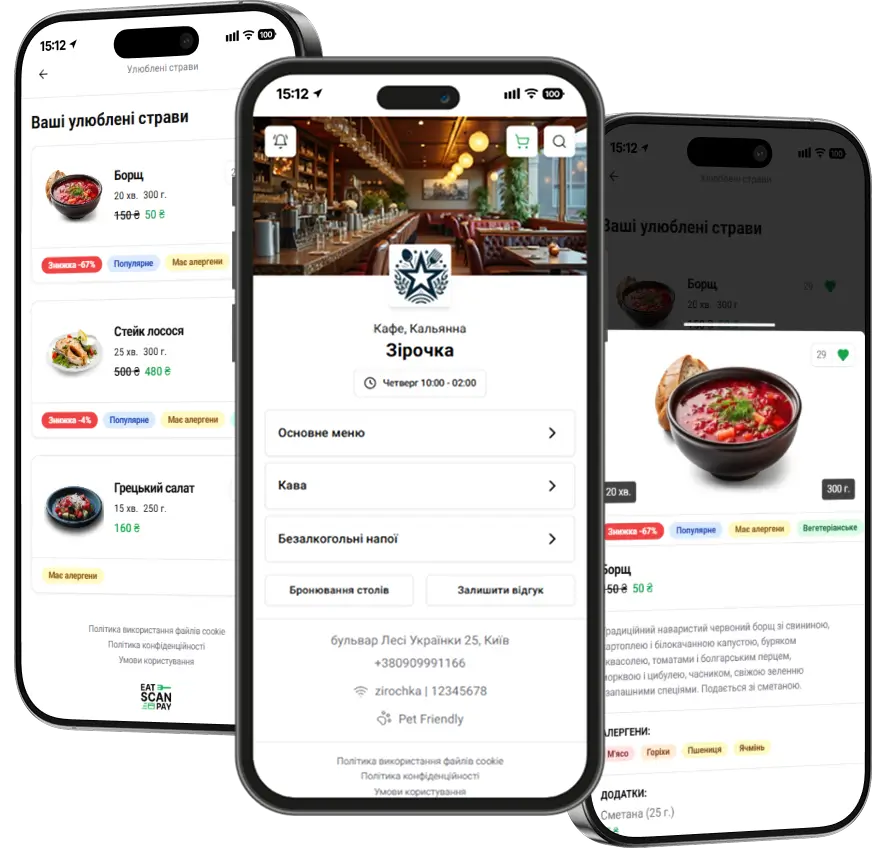
Admin Panel v2.0.0 – Major Update
We have completely redesigned the Admin Panel, making it more user-friendly, functional, and faster. The new version features an improved interface, extended management capabilities for your digital menu, tools for configuring delivery and tips, as well as new marketing features to attract more customers.
Main updated features:
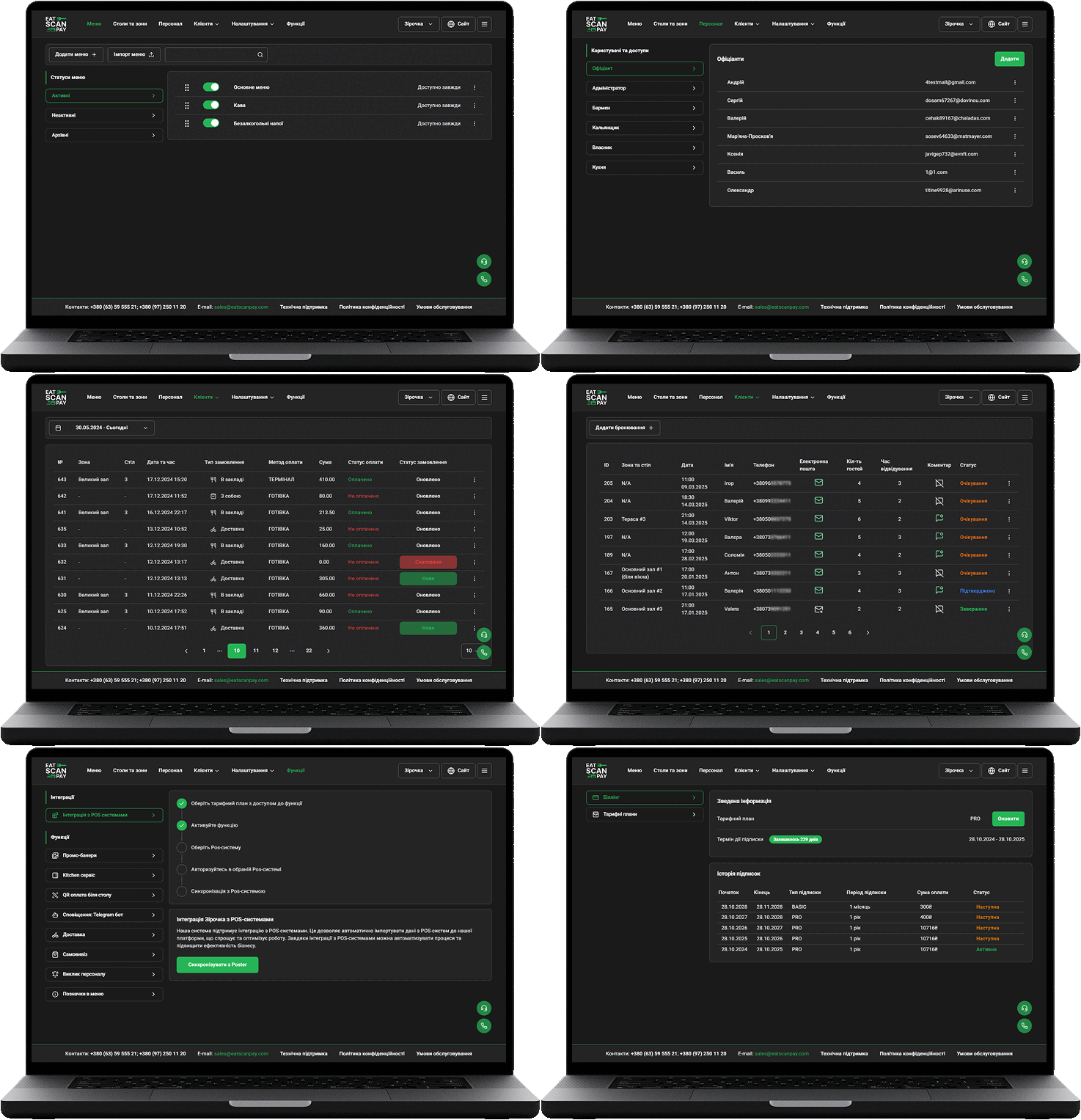
- New Design
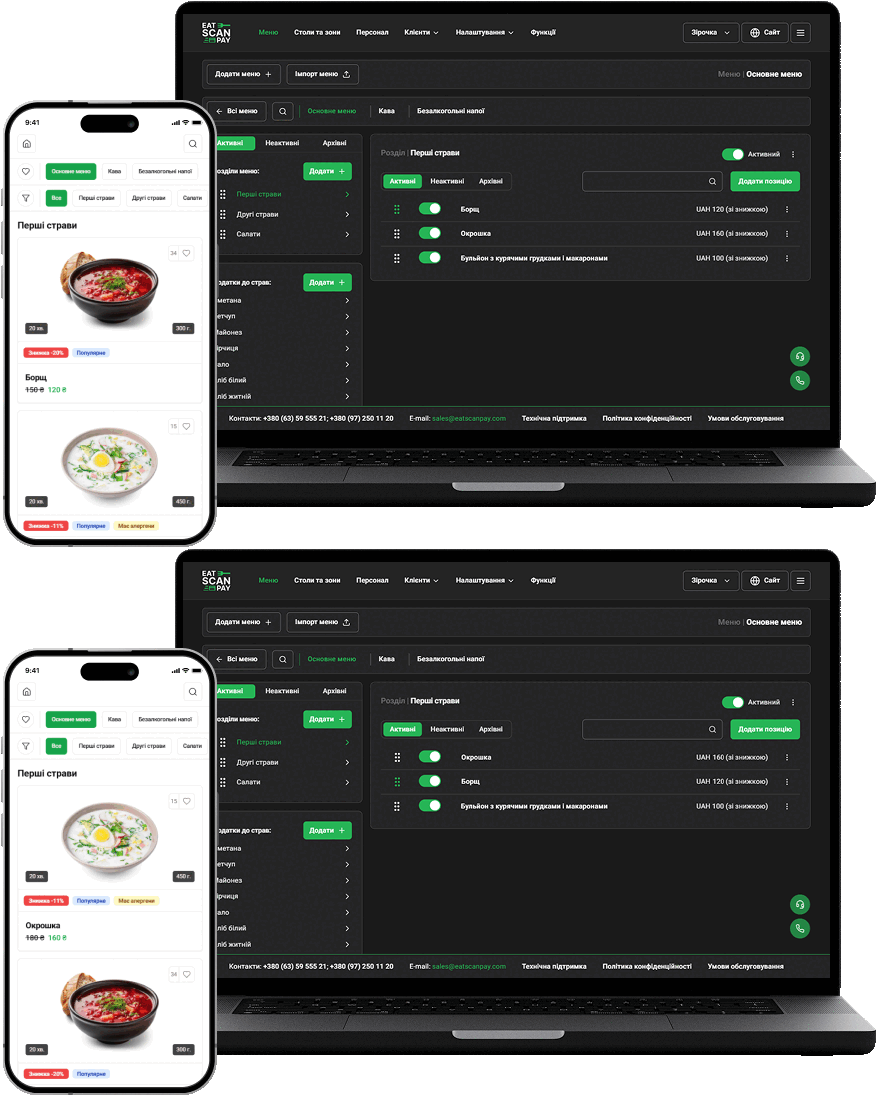
- Flexible Menu Management
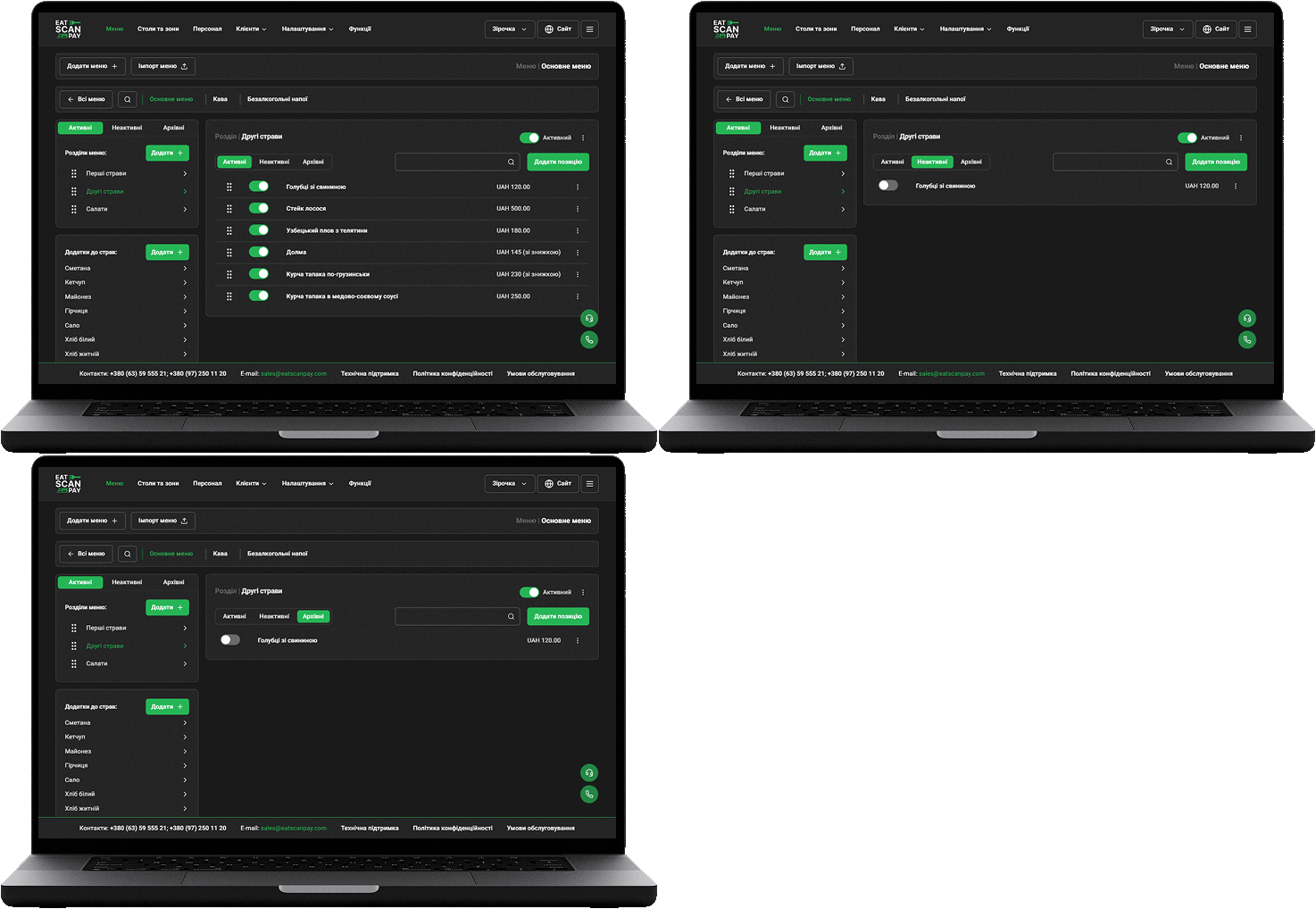
- Now you can change the order of menus, sections, and dishes to better match your venue’s display logic.
- You can now change the statuses of menus, sections, and dishes:
- Deactivation – temporarily hide without deleting.
- Archiving – for items no longer in use but that can be restored later.
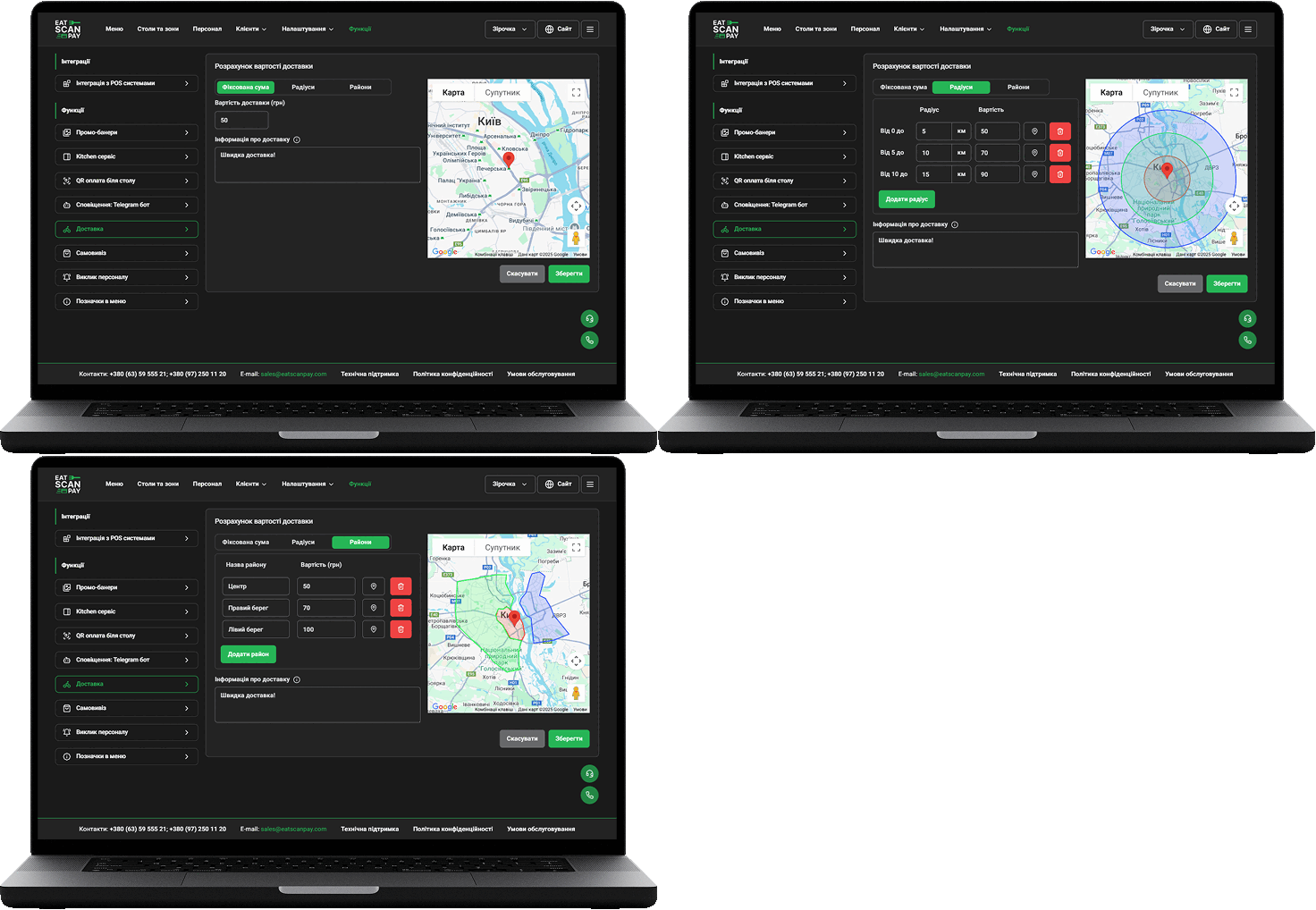
- Advanced Delivery Settings
- Fixed amount for all orders.
- Dynamic pricing based on delivery radius.
- Zone-based pricing – set different rates for custom areas on the map.
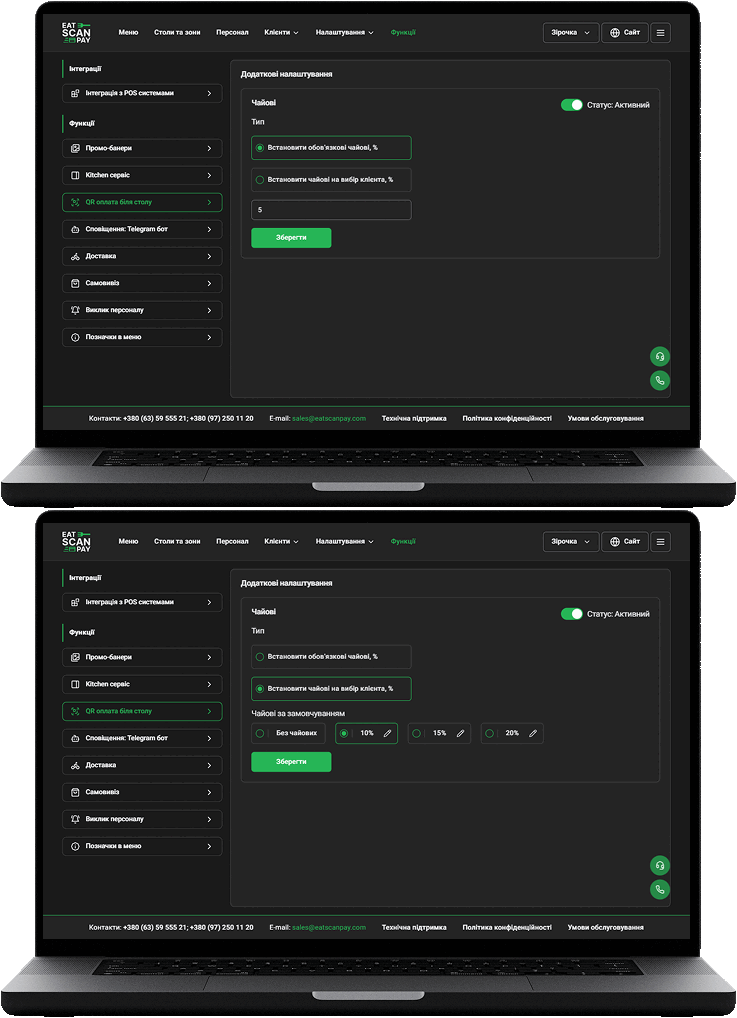
- Flexible Tips and Service Fee Settings
- Set tip percentages and define default tip values.
- Add a fixed service fee that will be automatically applied to each order.
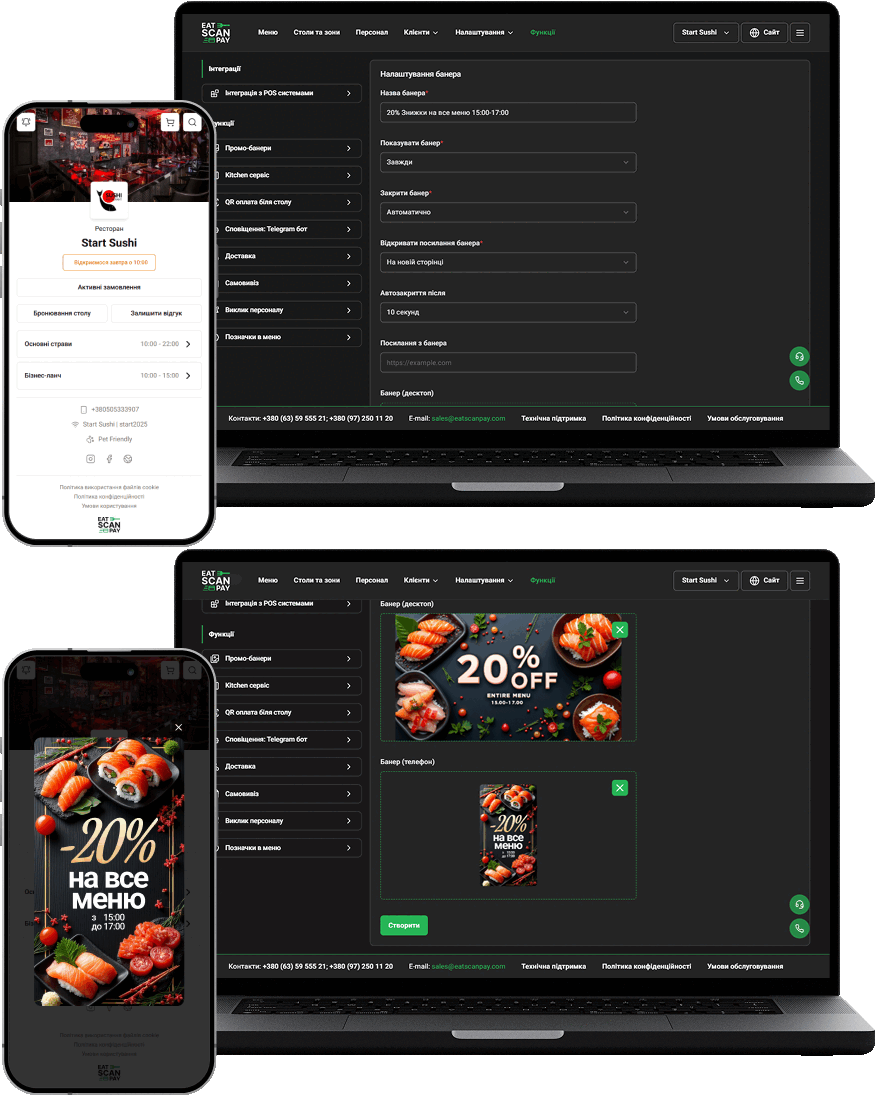
- Promo Banners for Marketing
- You can now add promo banners that will be shown in the QR menu upon opening.
- Users can click the banner and be redirected to a specified URL (e.g. promo page or special offer).
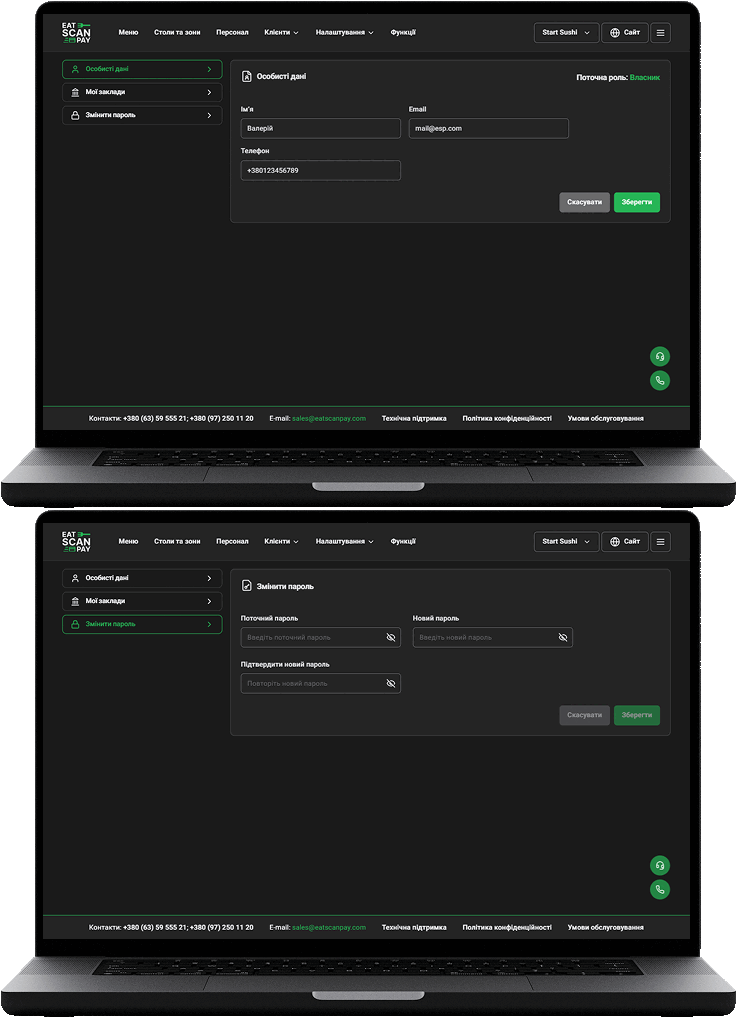
- Edit Contact Info
- Edit name, email, phone number.
- Update password in a few clicks.
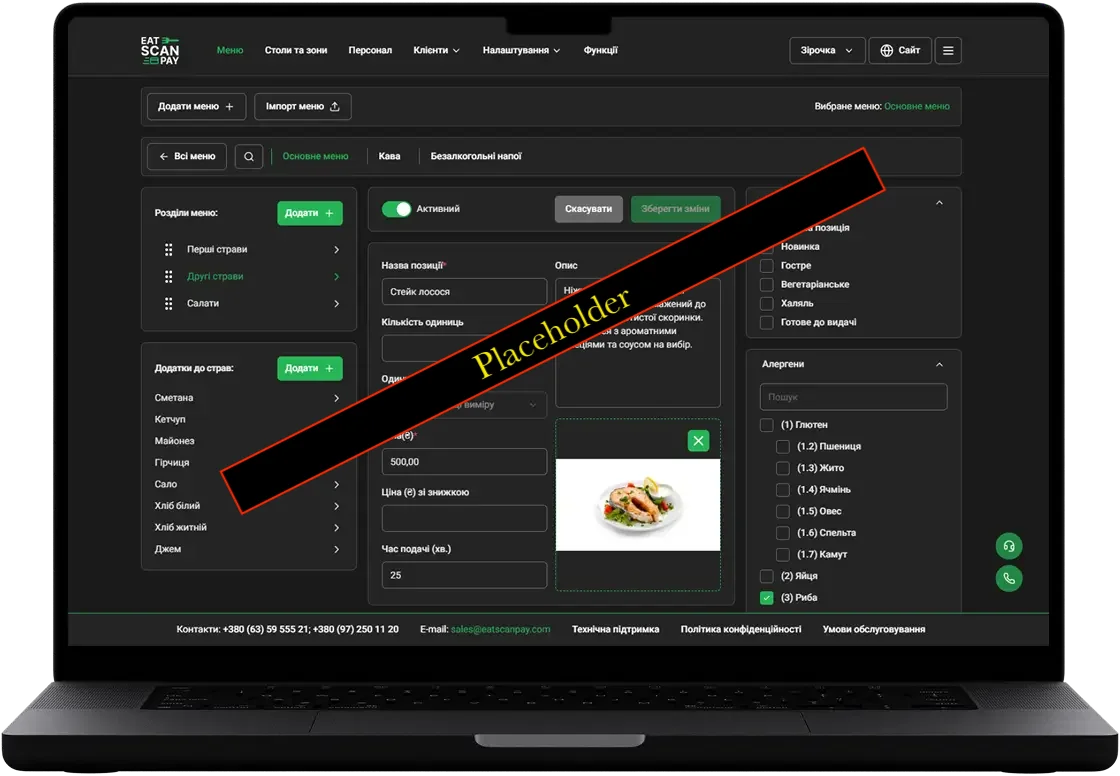
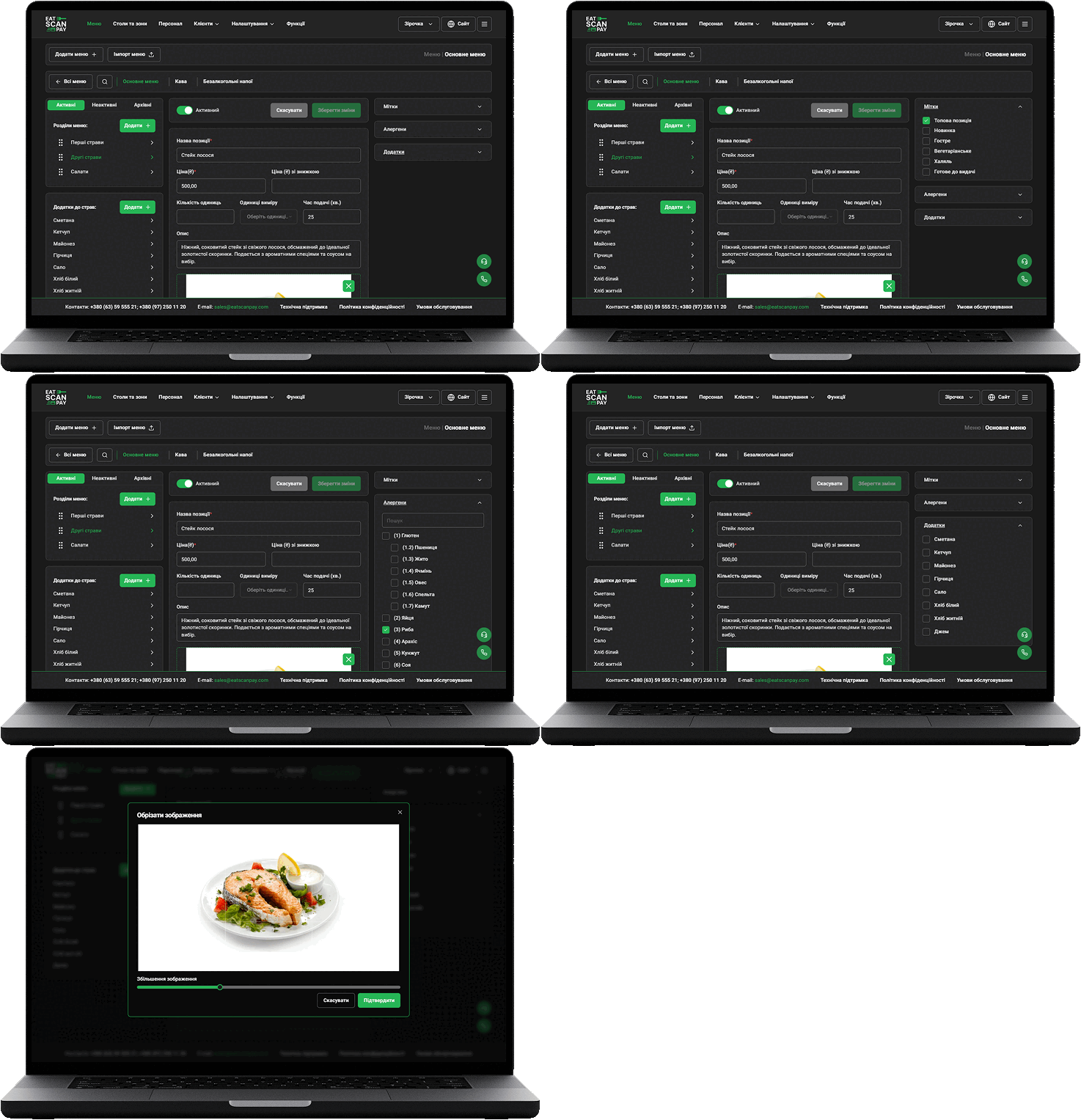
- Improved Dish Editing
The interface is now more intuitive and easier to use. Navigation has been optimized, allowing you to find necessary features faster and manage your venue more efficiently.
You can now set delivery fees according to the selected model:
Users can now update their profile details without contacting support:
We’ve added an enhanced photo upload tool – easier image upload and better image quality.
This update significantly expands administrator capabilities, making it easier to manage your venue and provide a better experience for your guests.